Saving & Managing Words
Mekuru lets you build a personal vocabulary list from words you look up while reading.
Saving a Word
When a dictionary lookup is open, tap the save button to add the word to your vocabulary list. Mekuru stores:
- Expression - the saved headword
- Reading - kana pronunciation
- Definitions - the glossary text shown in the lookup
- Context sentence - the sentence captured from the reader when available
- Date saved - when the word was added
Duplicate detection prevents the same expression and reading pair from being saved twice.
Vocabulary List
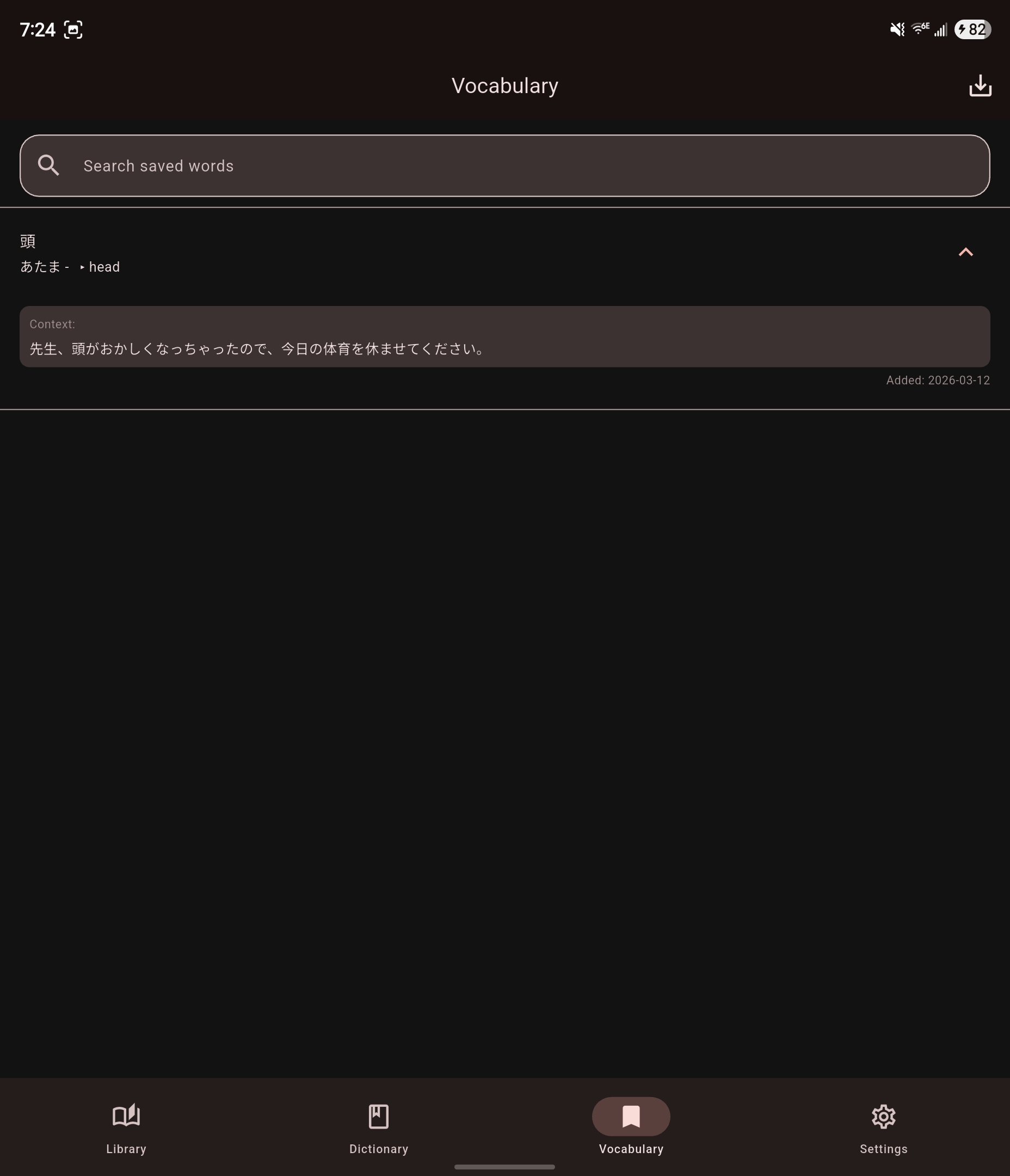
The Vocabulary tab is a chronological review list rather than a searchable index.
- Entries are shown newest first.
- Tap an entry to expand it and view full definitions, context, and saved date.
- Swipe left on an entry to delete it.
- Tap the export icon to enter selection mode for CSV export.
Export Entry Point
When you tap the export icon, Mekuru switches into selection mode so you can choose exactly which entries to export. For the full export flow, see Exporting to Anki.