Mekuru Documentation
Mekuru is a Japanese-first EPUB and manga reader built for language learners and native readers. It combines vertical EPUB reading, Mokuro and CBZ manga support, offline dictionaries, and vocabulary tools in one app.
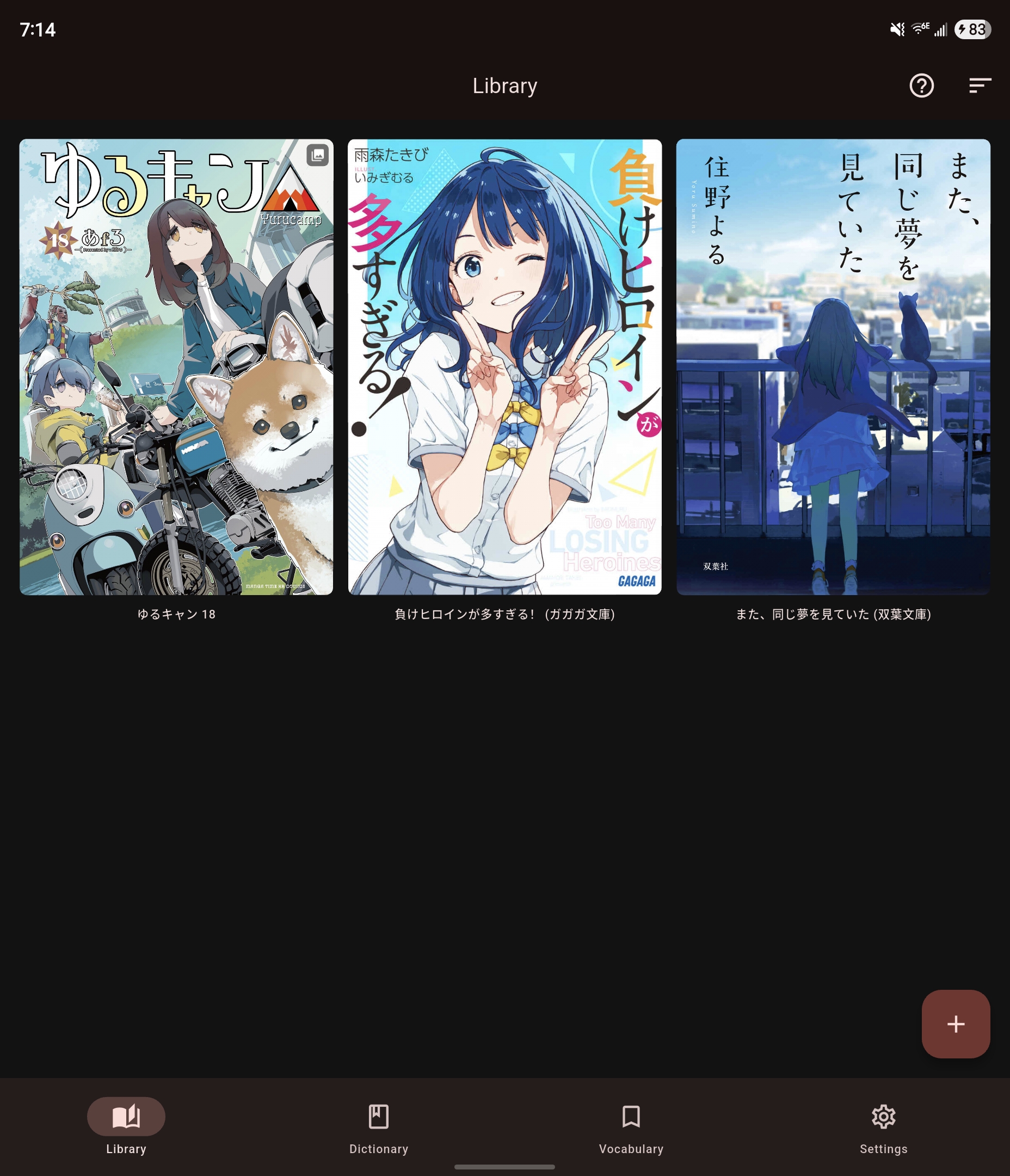
Quick Start
0. Install Mekuru
Install Mekuru from Google Play or download a signed APK from GitHub Releases. To get early access to updates, join the beta testing track. See Installing Mekuru.
1. Import something to read
From the Library tab, tap + and choose one of the supported import flows:
- EPUB - import a single
.epubfile - Manga (Mokuro) - select a folder, then choose a
.mokuroor.htmlmanifest - Manga (CBZ) - import a single
.cbzarchive
See Importing Books (EPUB) and Importing Manga.
2. Add dictionaries
Go to the Dictionary tab to import a Yomitan-compatible dictionary, import a Yomitan collection backup, or use Settings > Downloads for built-in packs such as JMdict and KANJIDIC. See Setting Up Dictionaries.
3. Start reading
Tap a library item to open it. Long-press a library item to open management actions such as rename, bookmarks, highlights, OCR controls, or delete. See Navigation & Gestures.
4. Look up and save words
Tap a word in EPUB text, Mokuro word overlays, or OCR-generated manga overlays to open dictionary results. Use the save button on the lookup card to add the word to your vocabulary list. See Looking Up Words and Saving & Managing Words.
5. Export to Anki
Export selected vocabulary entries to CSV, or send cards directly to AnkiDroid on Android from dictionary lookup cards. See Exporting to Anki.
Feature Overview
Free Features
| Feature | Description |
|---|---|
| EPUB Reader | Vertical and horizontal reading, RTL or LTR page flow, and automatic progress restore |
| Manga Reader | Mokuro and CBZ support with single-page, spread, and scroll modes |
| Offline Dictionaries | Import Yomitan .zip files, collection .json backups, or built-in download packs |
| Built-in Downloads | JMdict, JMdict with examples, KANJIDIC, KanjiVG, and JPDB frequency data |
| Smart Word Detection | Accurate Japanese word boundary detection for tap-to-lookup |
| Compound Words | Greedy multi-token matching for longer dictionary hits |
| Kanji Stroke Order | KanjiVG diagrams for single-kanji searches and compatible lookups |
| Frequency Data | JPDB rank data shown in dictionary results when installed |
| Pitch Accents | Pitch accent patterns from compatible dictionaries |
| Bookmarks | Save positions and notes in EPUB books |
| Vocabulary Management | Save words with sentence context and review them later |
| CSV Export | Export selected vocabulary entries to an Anki-friendly CSV file |
| AnkiDroid Integration | Send cards to AnkiDroid directly from dictionary lookup cards on Android |
| Reader Customization | Themes, color modes, margins, swipe sensitivity, and per-book quick settings |
Paid Feature
| Feature | Description |
|---|---|
| Pro | One-time upgrade that unlocks auto-crop, book highlights, and custom OCR server support for remote manga OCR. |
See Remote OCR and Custom OCR Server for setup details.