Looking Up Words
Mekuru provides instant offline dictionary lookups while you read, with smart word detection and compound-word matching.
Tap to Look Up
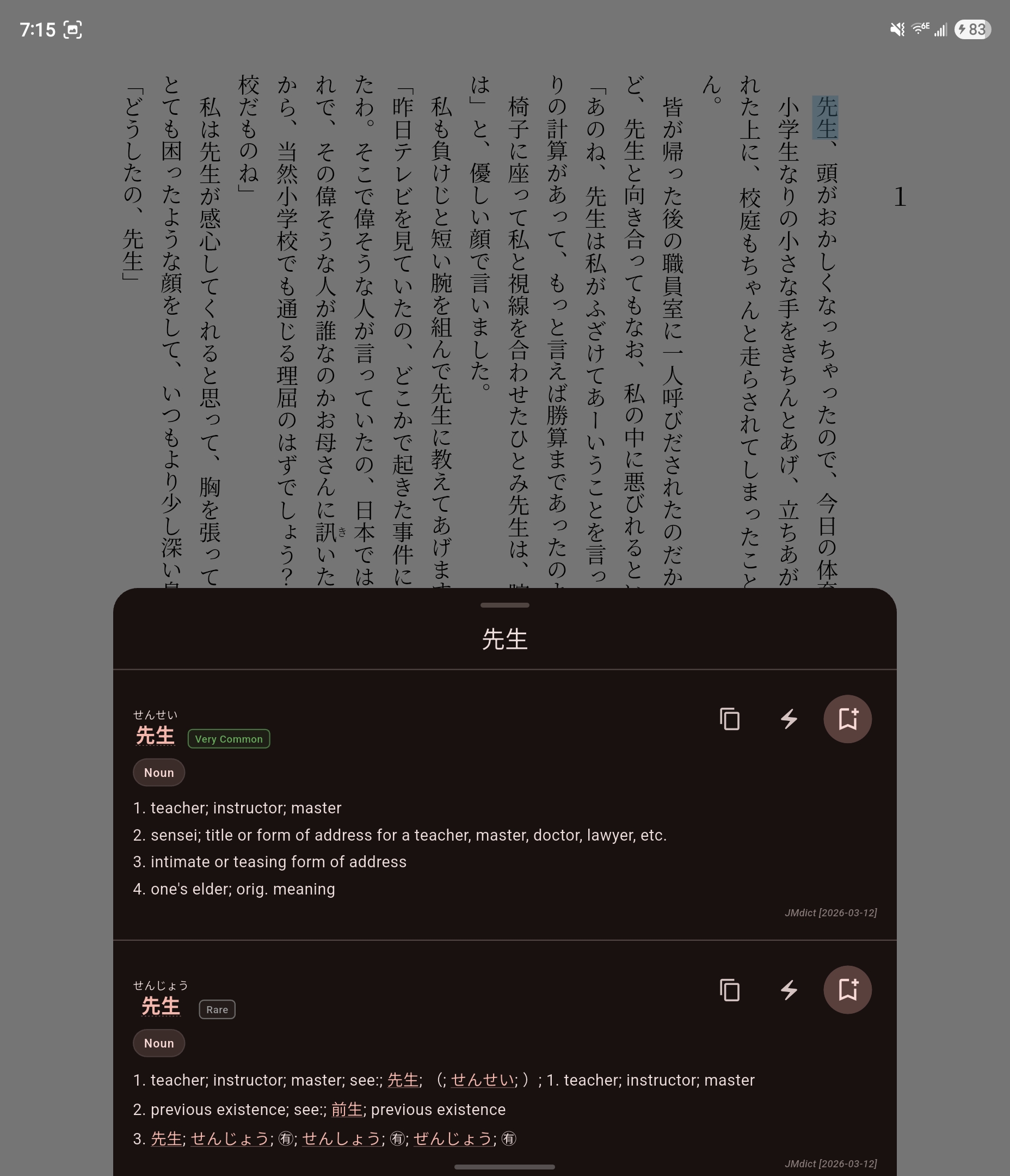
While reading EPUB text, Mokuro word overlays, or OCR-generated manga overlays, tap a word to open the lookup sheet. It can show:
- Expression - the matched headword
- Reading - kana pronunciation
- Definitions - glossary entries from your enabled dictionaries
- Dictionary grouping - results grouped by source dictionary
- Pitch accent - when a compatible pitch accent dictionary is installed
- Kanji stroke order - when KanjiVG is installed
- Frequency ranking - when JPDB data is installed
- Actions - copy, save to vocabulary, and Android-only send to AnkiDroid
Dictionary Search
You can also search directly from the Dictionary tab.
- Search accepts kanji, hiragana, katakana, and romaji.
- Results update as you type.
- When the search field is empty, Mekuru shows recent searches.
- Searching a single kanji shows the stroke-order widget above the matching entries.
- Tapping an expression or tappable definition text can trigger a follow-up search for that term.
Filter Roman Letter Entries
If your dictionaries contain English-letter headwords that clutter results, enable Filter Roman Letter Entries in settings to hide them.
How Word Detection Works
Japanese text has no spaces between words, so Mekuru automatically identifies word boundaries when you tap. If you tap inside an inflected form, Mekuru resolves it to the base word instead of matching a random substring.
Compound Word Resolution
Mekuru checks progressively longer token sequences, up to 5 tokens, against your enabled dictionaries. It uses a greedy longest-match strategy, so longer compound entries are preferred when a full match exists.
Multiple Dictionaries
When multiple dictionaries are installed, results are merged and sorted by dictionary priority. You can control which dictionaries are enabled and how they are ordered in Managing Dictionaries.